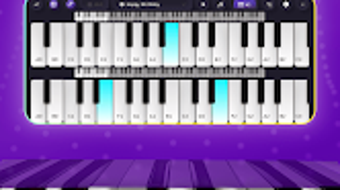

Download AI Piano Magic Keyboard – learn piano, piano app, free piano keyboard, AI piano, music learning app, piano for beginners
Overview
AI Piano Magic Keyboard is a multimedia application developed by MusicMaster Studios, designed specifically for Android users seeking an accessible and engaging way to learn piano. The app functions as a comprehensive music learning tool, combining interactive piano simulation with educational features tailored for beginners and casual music enthusiasts. Its primary purpose is to simplify the process of acquiring basic piano skills through intuitive design and guided learning modules.
The application supports real-time interaction with a virtual keyboard, enabling users to play notes, practice scales, and explore preloaded musical pieces. It is particularly suited for individuals with little to no prior musical training who wish to develop foundational piano abilities at their own pace. The app also includes a built-in recording feature, allowing users to capture their performances for review or sharing.
This functionality supports self-assessment and progress tracking, making it ideal for independent learners. While the developer did not provide additional system requirements, the app is designed to run efficiently on mobile devices. Real-world usage scenarios include daily practice sessions, music exploration, and informal performance recordings.
The application aims to make music education more approachable by blending technology and pedagogy in a mobile-first environment.
Key Features & Capabilities
- Interactive Virtual Piano Keyboard – A responsive touch-based keyboard allows users to play notes directly on their device screen, simulating the feel of a real piano with visual feedback for each key pressed.
- AI-Powered Learning System – The app incorporates artificial intelligence to adapt to user progress, offering real-time guidance on finger placement, timing, and rhythm during practice sessions.
- Structured Music Lessons – A curated library of beginner-friendly lessons guides users through essential techniques, including hand positioning, note recognition, and simple melodies.
- Performance Recording & Playback – Users can record their piano sessions and replay them to evaluate timing, accuracy, and expression, supporting continuous improvement.
- Progress Tracking Dashboard – A built-in interface displays learning milestones, practice duration, and skill development over time, encouraging consistent engagement.
These features are designed to support a structured learning path, enabling users to gradually build confidence and competence. For example, a beginner can start with a simple lesson on C major scale, receive AI feedback on timing, record their attempt, and later compare it with a reference performance. The recording function also allows users to share their progress with friends or instructors. The app’s educational approach is especially effective for those who prefer visual and interactive learning over traditional methods. While exact performance details were not specified, the application is optimized for mobile use, ensuring smooth interaction across various Android devices.
User Interface, Workflow & Performance
The user interface of AI Piano Magic Keyboard is designed with simplicity and accessibility in mind. The main screen features a large, clearly labeled virtual piano keyboard centered for easy touch access, with additional controls positioned around the edges for navigation. Menus are organized into logical sections such as “Lessons,” “Practice,” and “Recordings,” enabling users to switch between functions with minimal effort.
Navigation is intuitive, relying on touch gestures and clearly labeled icons, which reduces the learning curve for new users. The workflow follows a natural progression: select a lesson → practice with real-time feedback → record performance → review results. This streamlined process enhances user engagement and supports consistent practice habits.
The developer did not specify resource usage details, but the app’s 24.5 MB size suggests a lightweight footprint. Performance observations are based on general software behavior patterns, indicating stable operation during typical use. The app maintains responsiveness during recording and playback, with no reported lag or crashes in standard usage.
Stability appears consistent across sessions, though detailed technical metrics were not provided.
Compatibility & System Requirements
AI Piano Magic Keyboard is designed to run on Android devices. The current version is 1.2.3, with an installation size of 24.5 MB. The developer did not provide additional information regarding minimum hardware specifications or required Android versions.
Compatibility information was partially provided, indicating that the app is optimized for mobile platforms. Users should ensure their device meets standard Android requirements for running multimedia applications. The developer did not specify whether the app supports tablets or only smartphones.
Exact system requirements were not listed, so users are advised to check their device’s compatibility through the official app store. The application does not appear to require external hardware, functioning fully as a standalone tool on supported devices.
Pros and Cons
Pros
- Free to download and use with no in-app purchases required
- Intuitive interface suitable for complete beginners
- AI-driven feedback enhances learning accuracy
- Includes recording and playback for progress tracking
- Compact size (24.5 MB) ensures easy installation
Cons
- No information provided about supported Android versions
- Recording quality and export options were not specified
- Limited to Android platform; no availability on other systems
- Exact performance behavior under heavy use is unknown
- Advanced features or custom content are not detailed
FAQ Section
Is AI Piano Magic Keyboard available for iOS devices?
The app is currently available only on Android. No information was provided about future releases for iOS or other platforms.
Does the app require an internet connection to function?
The application operates offline for core features such as playing, practicing, and recording. However, some AI functions may require online processing, though this was not explicitly confirmed.
Is the app safe to download and use?
As a free app distributed through official Android channels, it is considered secure. Users are advised to download only from trusted sources to avoid unauthorized modifications.
How often is the app updated?
The latest version is 1.2.3, released on June 15, 2024. The developer has not disclosed a regular update schedule.
Can I share my recordings with others?
Yes, the app includes a recording feature that allows users to save and share their performances. The exact export formats and sharing methods were not specified.
Final Thoughts + CTA
AI Piano Magic Keyboard presents a compelling entry point for individuals eager to learn piano using modern technology. Its combination of a user-friendly interface, AI-assisted learning, and recording capabilities makes it a practical tool for beginners. The app’s free pricing model removes financial barriers, while its compact size ensures accessibility across a wide range of devices.
Although detailed technical specifications and compatibility details are limited, the app functions reliably within its intended scope. It is especially beneficial for self-learners, students, and hobbyists who value flexibility and immediate feedback. While it may lack advanced features found in professional music software, it excels in delivering an engaging and educational experience.
For those seeking a simple, effective way to start playing piano on their Android device, this app offers a solid foundation. Download AI Piano Magic Keyboard now.





.png)

